Posts Tagged ‘ MySQL ’

How to Install WordPress 3.2.1 on Windows 7 and IIS 7.5

2013/02/09
By
Modified: 2013/01/20
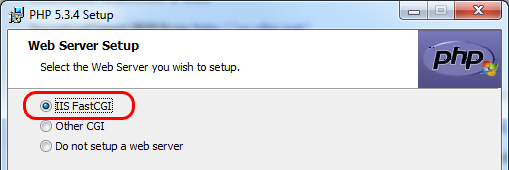
Pick-IIS-FastCGI-Option

This article is written for those who need to test/evaluate features of new WordPress release on a local machine before rolling it out to all the serves. This article describes running PHP on IIS 7.5 through FastCGI. For best results, reader is required to be able to start and stop services, understand registry manipulations, be comfortable with copy and paste inside a command prompt (Alt+Space, E, P). To achieve better portability, try to match your test machine directory structure as close as possible with your server. Other IIS Features to Pick If you are planning to test old ASP sites on the same machine, you also need to pick: - ASP…

Read more »


How to Work with MySQL – Basic Tasks

2012/11/07
By
Modified: 2013/01/18
How to Work with MySQL – Basic Tasks

This material is tested with MySQL 5.1 and 5.5 on various Windows versions. This article covers these topics: -010- MySQL Data Location -020- Shortcut to MySQL Command Shell -030- Create a New Database -035- Delete an Existing Database -040- Display a List of All DB Users -050- Display a List of All Tables -060- List All Fields in a Table -070- Free ODBC Connector is Available -080- Create a New User -085- Change User Password -090- Delete a User -100- Grant User Rights to a D/B and Show It -110- Save Database into a Dump File -120- Restore Database From a Dump File -130- Rename Database -140- Backup Database -150- Automate…

Read more »

Adding a new WordPress site to an Existing Installation

2010/09/24
By
Modified: 2011/11/07

Task You already have a working WordPress (WP) site.  Now, you need to add one more site with a new MySQL database.  This document describes how to add one more database and install a new WP site on the same server. Download Download latest WordPress ZIP package (3.0.1) and unzip it to your future site location. Open IIS Admin Create a new virtual directory pointing to that location Side Notes – Change root password You need to know existing root user password. Login into MySQL Command Line Client. Select database: use mysql; Reset user password: update user set password=PASSWORD(“NewPassword”) where User=’root’; Allpy new password: flush privileges; Create a New Database Use…

Read more »

Movng WordPress Site to a W2K8 Server and IIS7

2010/07/19
By
Modified: 2011/03/15
Movng WordPress Site to a W2K8 Server and IIS7

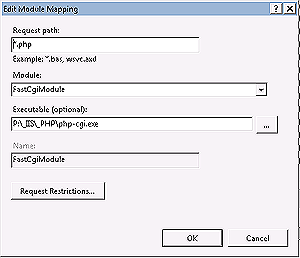
If you like to be in control of all your servers, you would love the gentle nature of WordPress installation.  Installation includes PHP,  MySQL  and  WordPress components.  All steps can be done manually.  Instead of running install, you can just copy files and directories, and make manual configurations adjustments.  It is like labyrinth of  DLL(s) meets the non-DLL world for the first time.   Check IIS7 Installed Components Windows Server 2008 comes with IIS 7.  Windows 7  and Server 2008 R2 come with IIS 7.5. Check that CGI is installed under IIS Roles (Windows Features).   Installing PHP Download and install latest PHP. Warning 1: Pick “nts” (non-thread-safe) package, if you are…

Read more »

How to Move MySQL D/B Files (Windows)

2010/06/30
By
Modified: 2010/10/21

Locate your MySQL installation files and central configuration file basedir="C:/Program Files/MySQL/MySQL Server 5.1/" Your MySQL configuration is stored in "My.ini" file Locate your MySQL Database location: datadir="C:/Documents and Settings/All Users/ Application Data/MySQL/MySQL Server 5.1/Data/" Stop MySQL service. Modify My.ini file to point to a new D/B location and Save. Move your Data directory to a new location Restart MySQL service. You are done.  All pages (even if you were in the middle of the editing) continue to work.  Amazing!

Read more »