This article shows how to use string parameters to make selection on Boolean fields. What is it you need to select "true", "false" of "ALL" records. How WHERE statement will look like in that case?
This article contains 3 examples: - T-SQL; -MS Access; - AS/400. This example shows a standard T-SQL syntax tested on MS SQL 2005 server: update P set P.CertMemberLevelID = Z.CertLevelTo from UPM_MemberPermissionMask P INNER JOIN zzzCertRegistryUpdate Z ON P.MemberID = Z. Cert2ID Here we are updating one filed CertMemberLevelID in table UPM_MemberPermissionMask based on field Cert2ID in table zzzCertRegistryUpdate. This next example was generated using MS Access 2007 syntax: UPDATE CRPDTA_F1201 INNER JOIN CatCode7 ON CRPDTA_F1201.FANUMB = CatCode7.XXNUMB SET CRPDTA_F1201.FAFA7 = [CatCode7].[XXFA7] A field FAFA7 in CRPDTA_F1201 is being updated. Table CatCode7 contains 2 fields: - ID Link field XXNUMB and - Update values field XXFA7 SQL statement JOINs two files…
You have 180 days to evaluate. You can check number of days till expiration: open your SQL Server Management Studio and widen first line in Help — About box. What if your trial is about to expire, and you need just a few more days to evaluate? You can switch to a free Express edition, or you can follow this cumbersome procedure. =01= Un-Install SQL Server 2008 Drop all your custom databases Run your Maintenance Plan one last time Save all your maintenance plans (this step was not tested) Go to Control Panel – Programs and Features Uninstall Microsoft SQL Server 2008 – Remove Check Rules – Next Select Features –…
This article describes, how to automate database backup in SQL Express with mixed Windows and SQL Authentication running on Windows 2008 Server. This material was tested with Microsoft SQL Server 2008 R2 Express. SQL Server 2008 Enterprise comes with Maintenance Plan feature. That feature allows amazing flexibility and auditing. SQL Express edition lacks this feature. But you still need a backup. Backup automation with SQL Express consist of 3 steps: (1) Write the script to backup all your databases. (2) Test the script by initiating it from a command prompt. (3) Schedule the script using Task Scheduler. Here is each step in detail. ` (1) Write the Script This script overwrites…

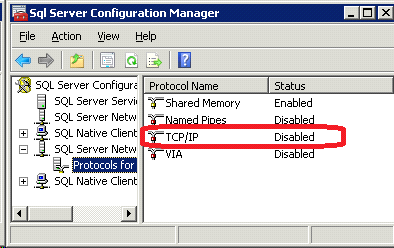
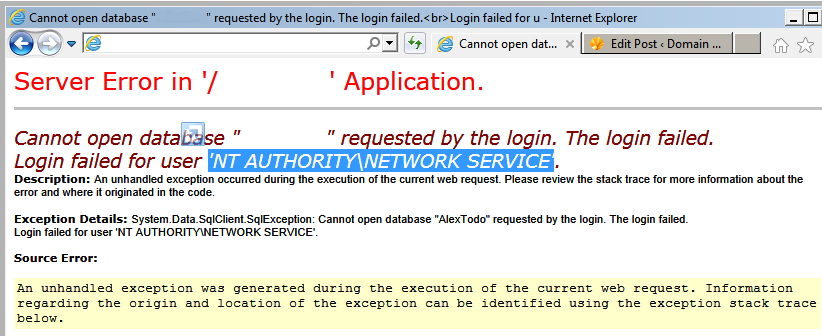
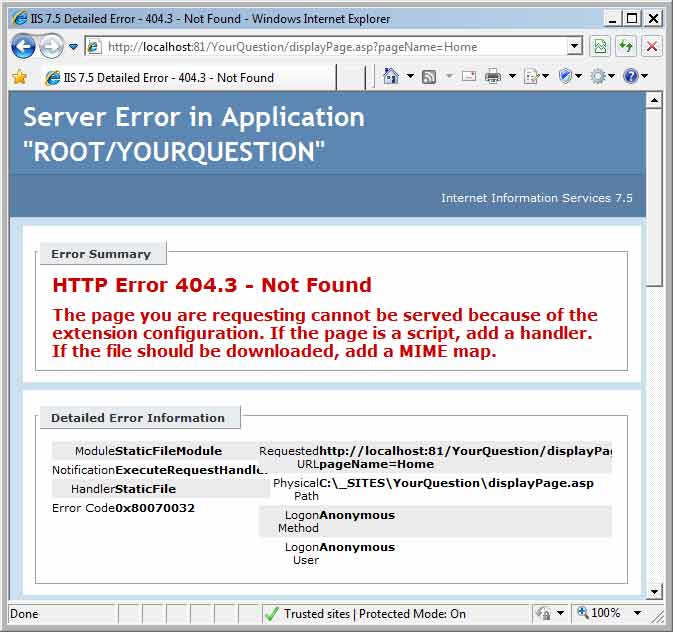
Environment ASP or ASP.NET site is running on IIS 7.5. SQL Server 2008 R2 Express (10.50.1600.1) running on Windows 2008 Server R2 (W2K8 R2) x64. Problem You will see one of two errors depending on whether you dealing with ASP or ASP.NET sites. On ASP.NET sites you will see “Server Error – Error: 26 – Error Locating Server/Instance Specified” Server Error in '/YourApps' Application. A network-related or instance-specific error occurred while establishing a connection to SQL Server. The server was not found or was not accessible. Verify that the instance name is correct and that SQL Server is configured to allow remote connections. (provider: SQL Network Interfaces, error: 26…
Task You already have a working WordPress (WP) site. Now, you need to add one more site with a new MySQL database. This document describes how to add one more database and install a new WP site on the same server. Download Download latest WordPress ZIP package (3.0.1) and unzip it to your future site location. Open IIS Admin Create a new virtual directory pointing to that location Side Notes – Change root password You need to know existing root user password. Login into MySQL Command Line Client. Select database: use mysql; Reset user password: update user set password=PASSWORD(“NewPassword”) where User=’root’; Allpy new password: flush privileges; Create a New Database Use…